


Maipu Managed Cloud
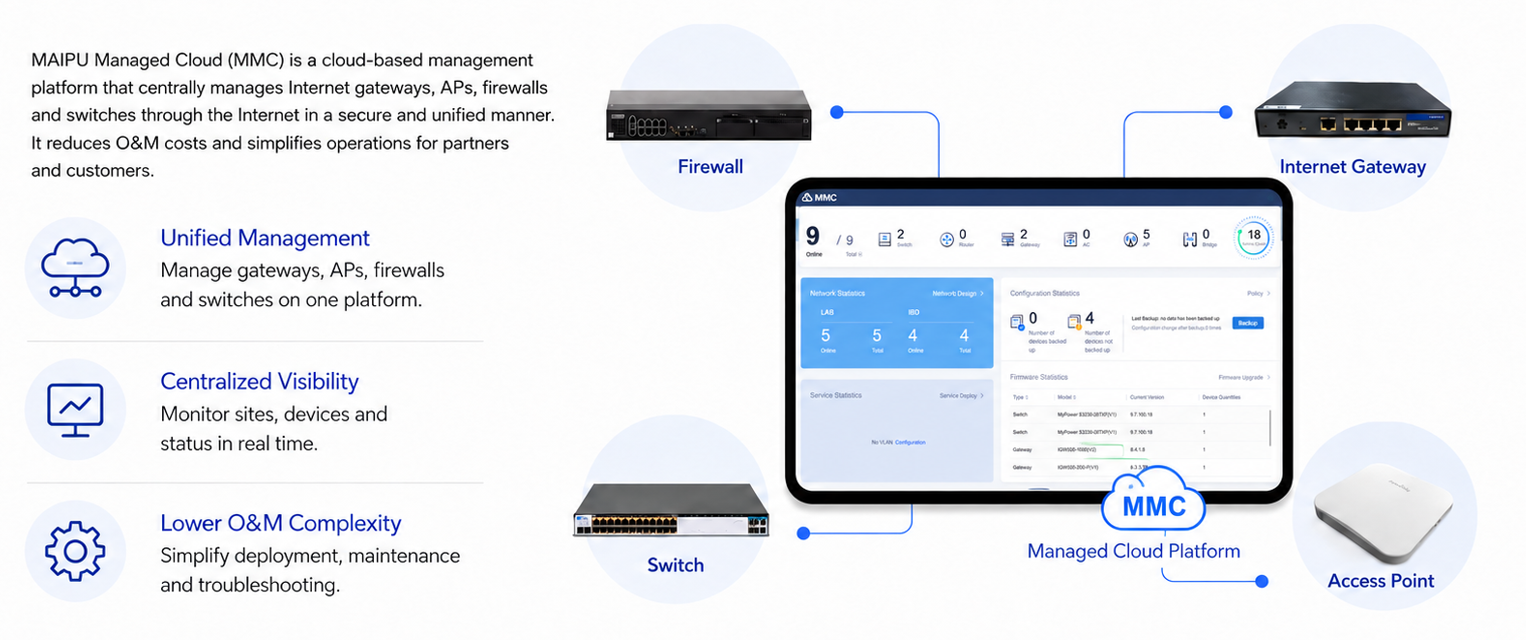
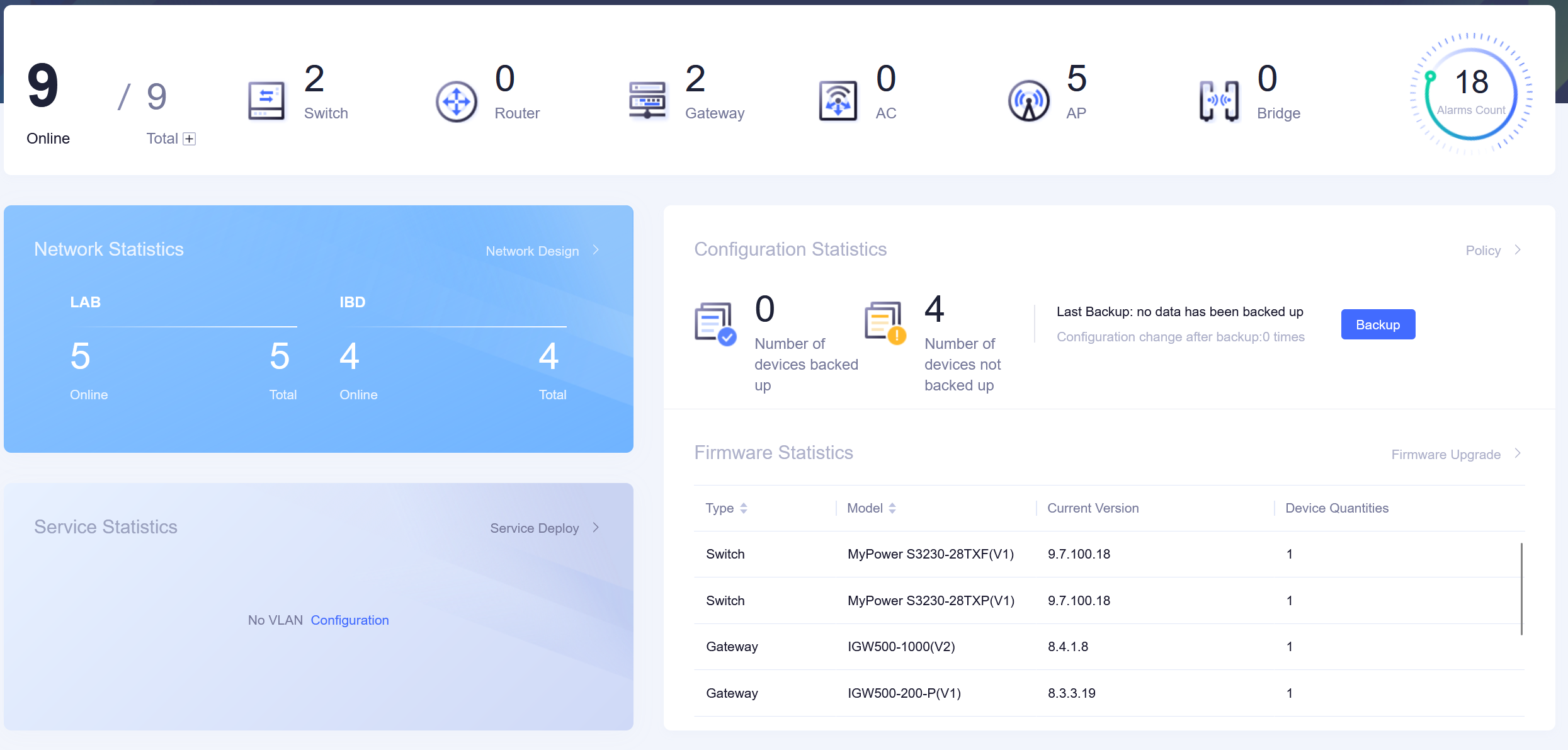
Maipu MMC (Maipu Managed Cloud) is a revolutionary cloud management platform which supports unified management and configuration of Internet gateways, Aps, Routers and switches, etc. Maipu MMC is designed for SMB customers such as economic hotels, schools, chain stores, branch offices and other small-medium sized business. Maipu MMC is consisted of various management features, such as account management, configuration management, device management, alarm management, topology management, troubleshooting management, etc. The platform can significantly reduce the operation & maintenance cost for partners and customers. Compared with other managed cloud solution suppliers, Maipu MMC can be deployed on public cloud or private cloud which gives more choices for partners to centrally manage all the wireless related devices through internet.
(Note: The product information may not be latest. For the latest, please contact overseas@maipu.com)
Product Features
Platform Highlights
l Unified Management
Manage gateways, APs, firewalls and switches on one platform. Web GUI interface is very easy-understanding to users. Simplify deployment, maintenance and troubleshooting.
l Flexible Cloud Deployment
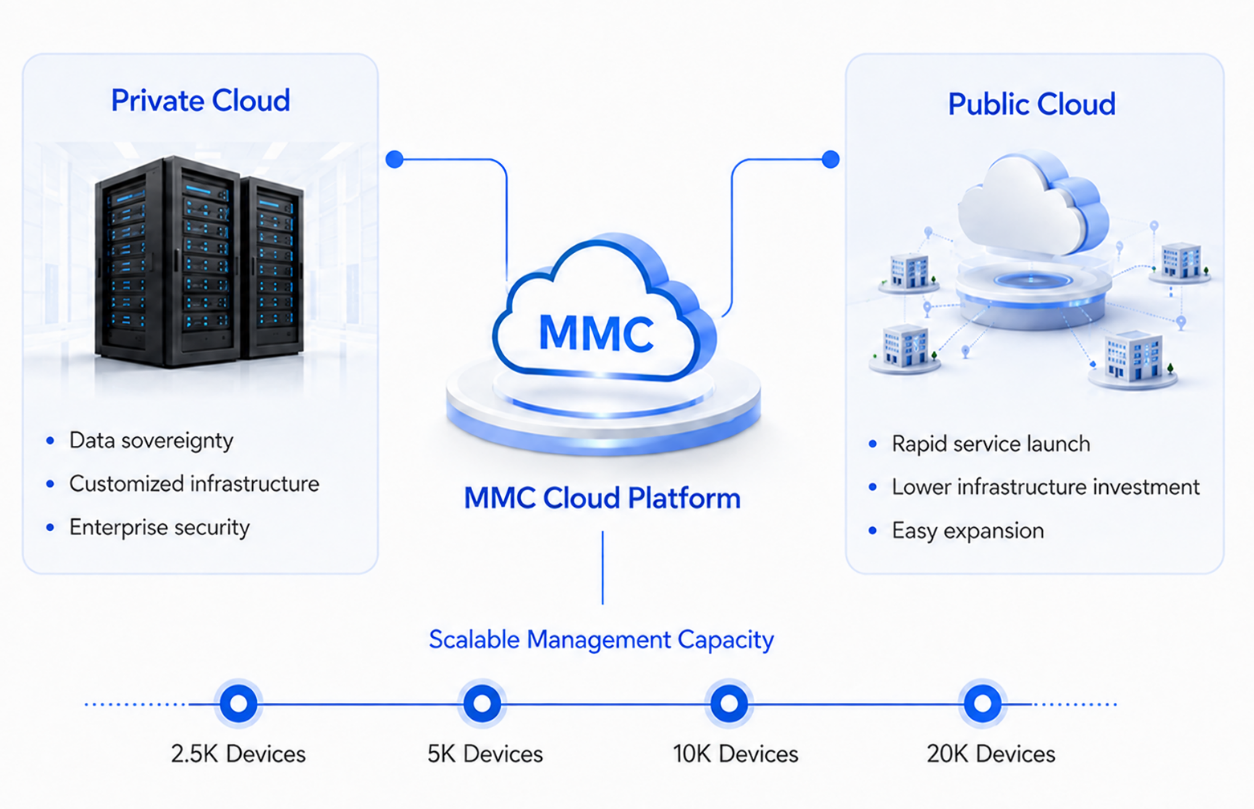
Maipu Managed Cloud (MMC) supports both private cloud and public cloud deployment, giving partners and customers more flexibility to build a cloud management architecture that fits their security, control and scalability requirements. Choose public cloud or private cloud based on different project needs. Gain stronger control, data sovereignty and customized deployment options. Deploy, manage, and expand network infrastructure more efficiently.
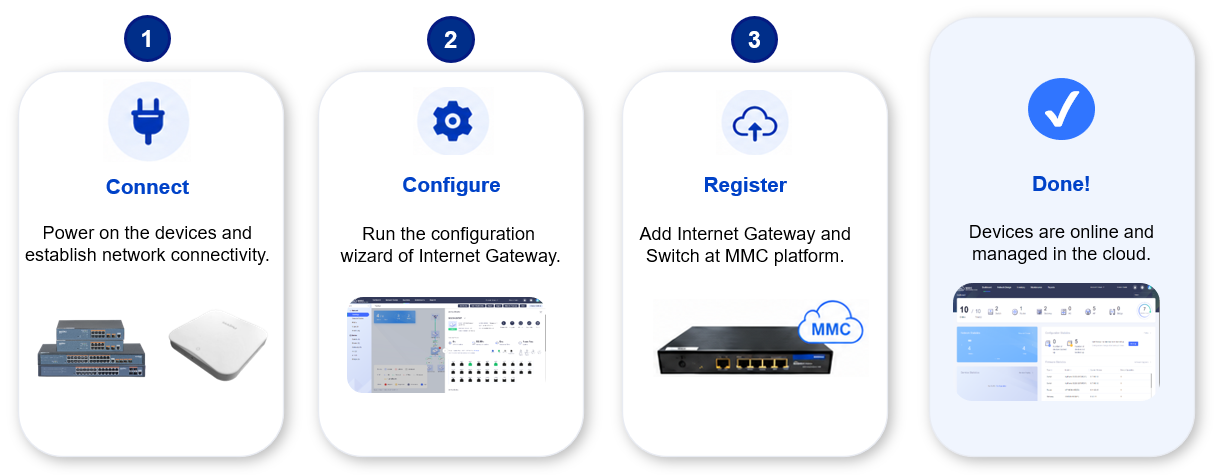
l Quickly Cloud Service Provisioning
l The platform can significantly reduce the operation & maintenance cost for partners and customers. Wireless service and cloud service provisioning can be done within few minutes.
Key Features
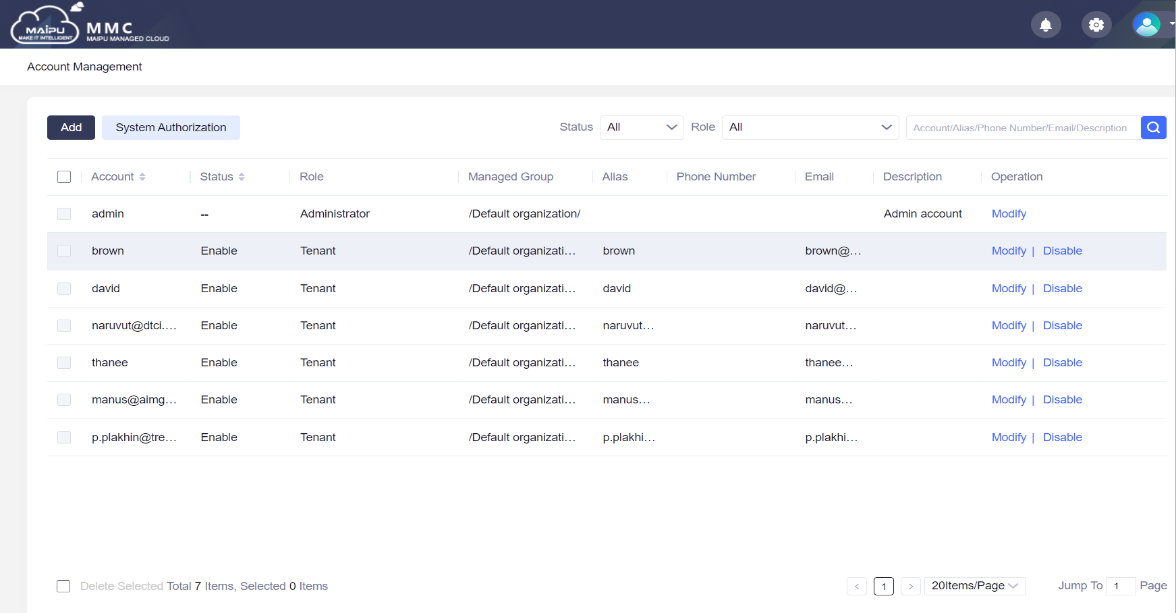
l Account Management
Maipu MMC adopts multi-tenant account management mode, which can establish multiple MSP accounts, and MSP can establish sub accounts for channels. If the subordinate channel wants to exit the management, MSP can withdraw the sub account or allocate the sub account to other accounts
l Topology Management
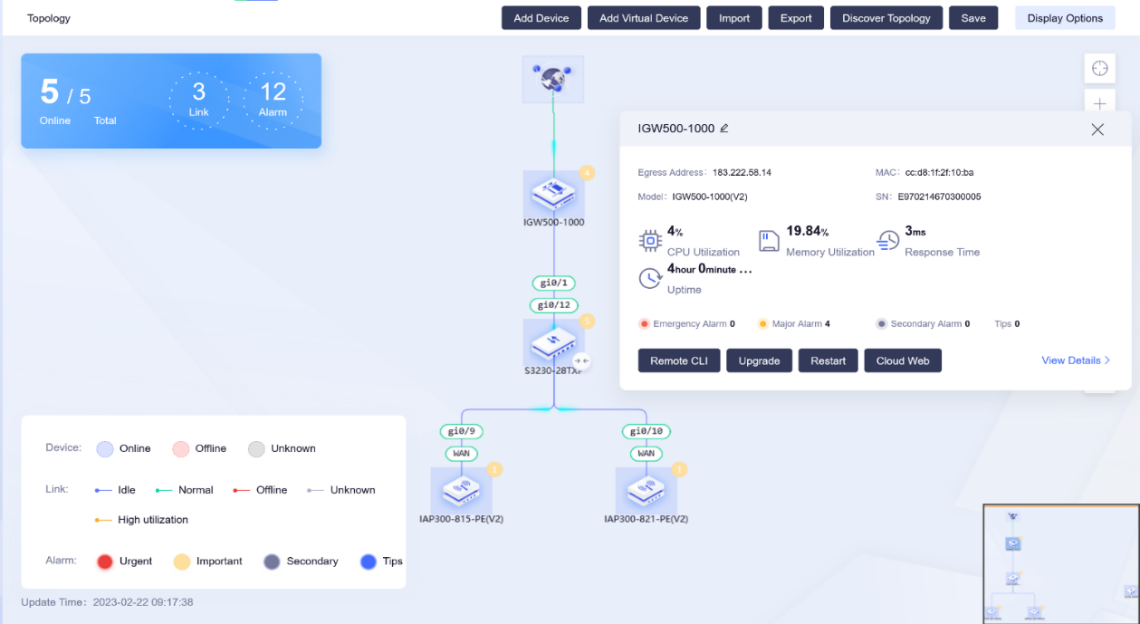
After registering to Maipu MMC, network equipment can automatically generate network topology, and users can clearly understand the network status, such as line connection/disconnection, link congestion, device online/offline.
l Device Management
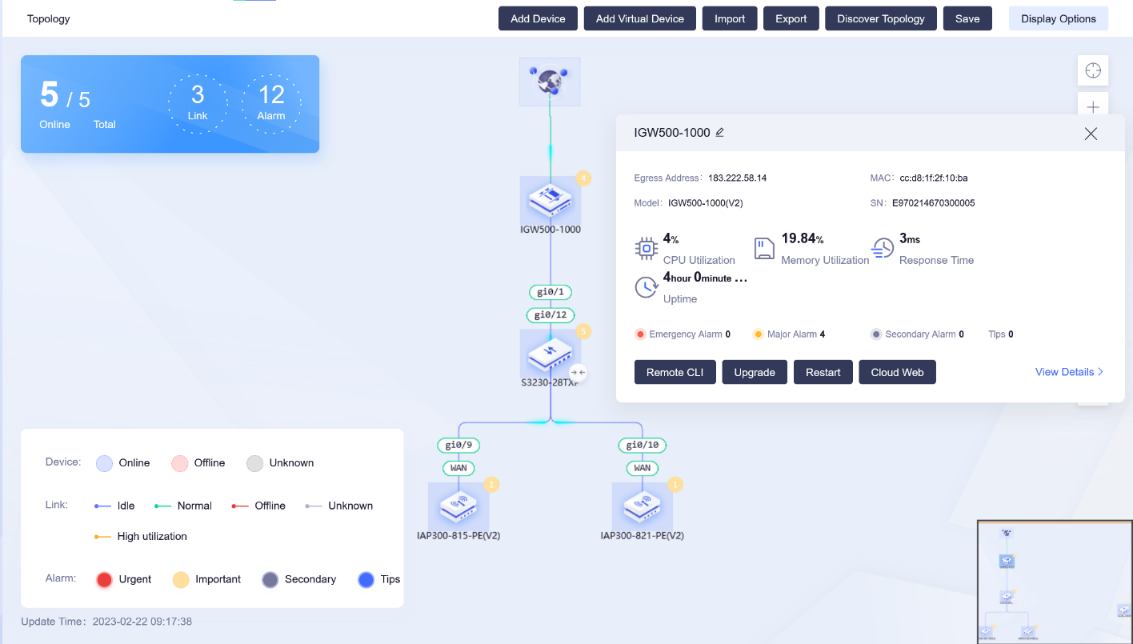
Click the device icon, and you can understand the detailed working status of the device, including the device online duration/CPU/memory and other information You can also learn about the interface up/down and traffic of the device.
l Troubleshooting Management
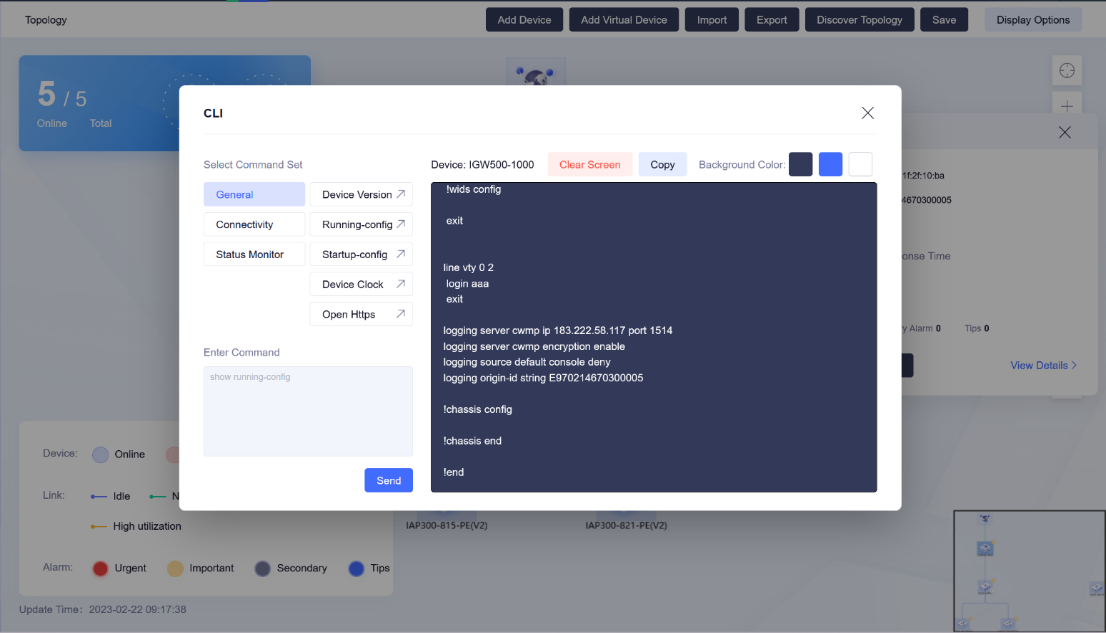
Inbuilt with common CLI naming shortcuts, such as Running Config, System Version, Show IP Route, etc. users can collect basic device information and troubleshoot through these shortcut commands.
l Alarm Management
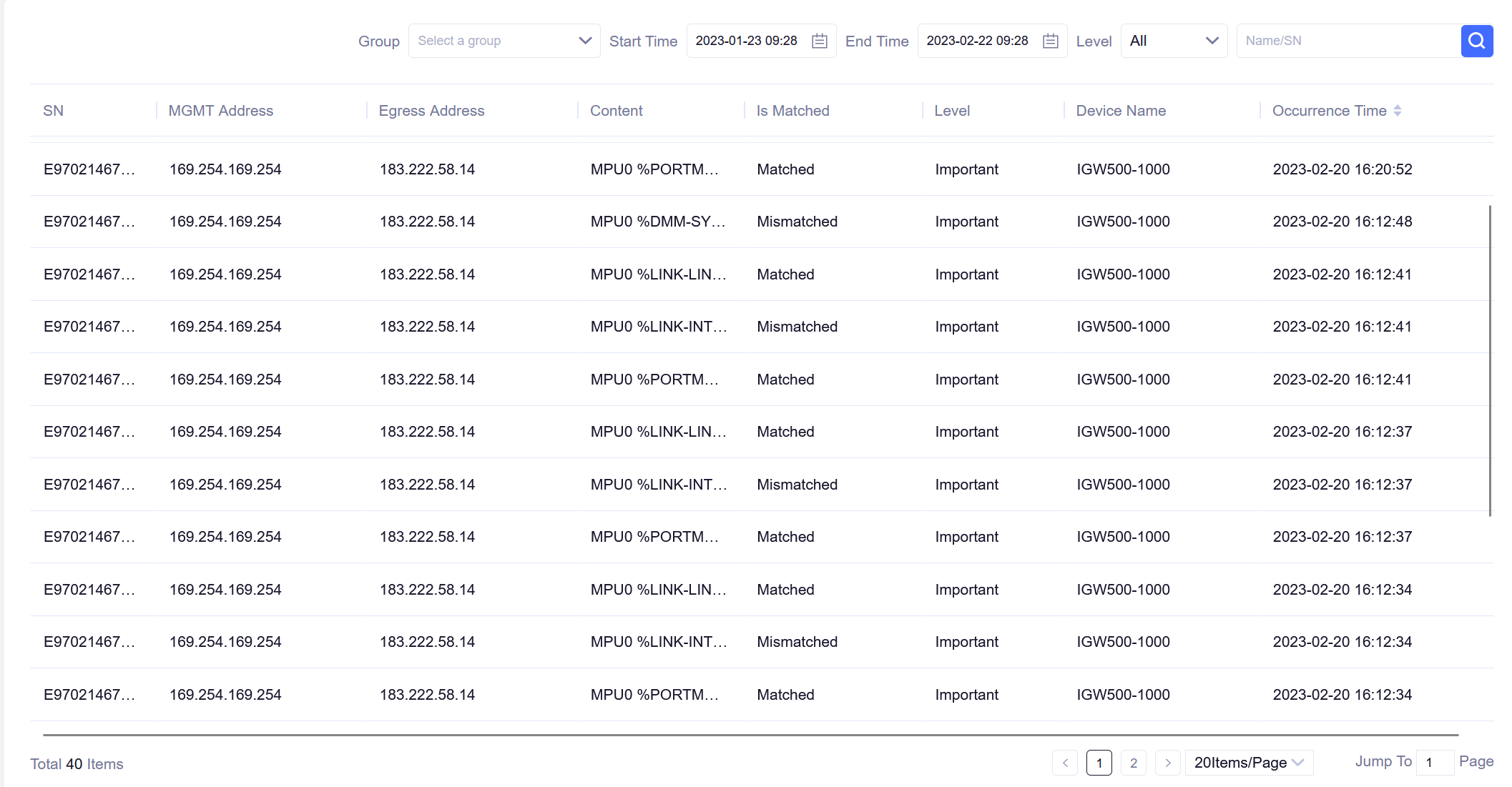
Collect device alarm information in real time, and the user can filter according to the alarm level and type. You can also customize the alarm level and set the thresholds for different alarm types.
l Upgrade Management
Maipu MMC platform will automatically compare the version used by the device with the uploaded version, and prompt that a new version is available. Users can choose whether to upgrade the new version according to their own needs.
Product Specifications
MMC Supported Models
|
Product Type |
Product Series |
Product Models |
|
Internet Gateway |
IGW500-500/1000/1500 Series |
IGW500-1500,1GW500-1000, IGW500-500 |
|
IGW500-200/100 Series |
IGW500-200, 1GW500-100 |
|
|
IGW500-200/100 PoE Series |
IGW500-200-P, IGW500-100-P |
|
|
AP |
IAP300 Series |
Wall Mount: IAP300-815, IAP300-825, IAP300-925 Ceiling Mount: IAP300-821, IAP300-822, IAP300-830, IAP300-921 Pole Mount: IAP300-826 |
|
Switch |
IS220 Series |
IS220-20TF, IS220-20TP, IS220-28TF, IS220-28TP |
|
IS230 Series |
IS230-10TF, IS230-10TP, IS230-18TF, IS230-20TP, IS230-28TF, IS230-28TP |
|
|
IS320 Series |
IS320-28TXF-AC, IS320-28TXP-AC, IS320-52TF-AC, IS320-12TXF-AC |
|
|
IS330 Series |
IS330-28TXF-AC, IS330-28GXF-AC, IS330-54TXF-AC |
|
|
IS420 Series |
IS420-36GTXF-AC, IS420-30TXF-AC |
|
|
IS430 Series |
IS430-54TGXF-AC, IS430-54GXF-AC |
|
|
IS580 Series |
IS580-26XF, 1S580-48XF |
|
|
IS660 Series |
IS660-04, IS660-06 |
|
|
S3230 Series |
S3230-28TXF, S3230-28TXP, S3230-54TXF, S3230-54TXP |
|
|
S3330 Series |
S3330-12TXF, S3330-12TXP, S3330-28TXF, S3330-28TXP, S3330-54TXF, S3330-54TXP, S3330-28GXF |
|
|
S4230 Series |
S4230-30TXF, S4230-54TXF, S4230-36GTXF |
|
|
S4330 Series |
S4330-30TXF, S4330-30TXP, S4330-54TXF, S4330-54TXP, S4330-54GXF, S4330-54TGXF |
|
|
Firewall |
IFW400-X3/X1 Series |
IFW400-X3, IFW400-X1 |
|
IFW400-F5/F4 Series |
IFW400-F5, IFW400-F4 |
|
|
Router |
MP Series |
MP1800X-40, MP1800X-40E, MP1800X-50, MP1900X-22, MP2900X-04D, MP2900X-04D-AC, MP2900X-14D-AC, MP3900X-06, MP3900X-08 |
|
NSR Series |
NSR1800X-55, NSR1900X-22, NSR2900X-14D, NSR3900X-X4, NSR7300X-08, NSR7500X-04E |
MMC Platform Hardware Specification
|
Node Scales |
Recommended Server Hardware Specification |
||||
|
Number of Devices |
CPU Core |
Memory |
HDD |
Internet Bandwidth (Min.) |
Server Number |
|
2.5K |
16 Core/2.4GHZ |
48G |
1T |
10Mbps |
1 |
|
2.5K-5K |
16 Core/2.4GHZ |
48G |
1T-2T |
25Mbps |
3(Cluster) |
|
5K-10K |
16 Core/2.4GHZ |
64G |
2T-4T |
50Mbps |
3(Cluster) |
|
10K-20K |
16 Core/2.4GHZ |
64G |
2T-4T |
100Mbps |
3(Cluster) |
 :